Layout Ideas
A strong portfolio isn’t only about content — layout and readability make a huge difference in how judges and readers experience your story. Consistent formatting, professional design, and a logical flow help showcase your hard work effectively. The recommended layout below gives you a page-by-page breakdown, plus guidance on style and structure.
Cover Page
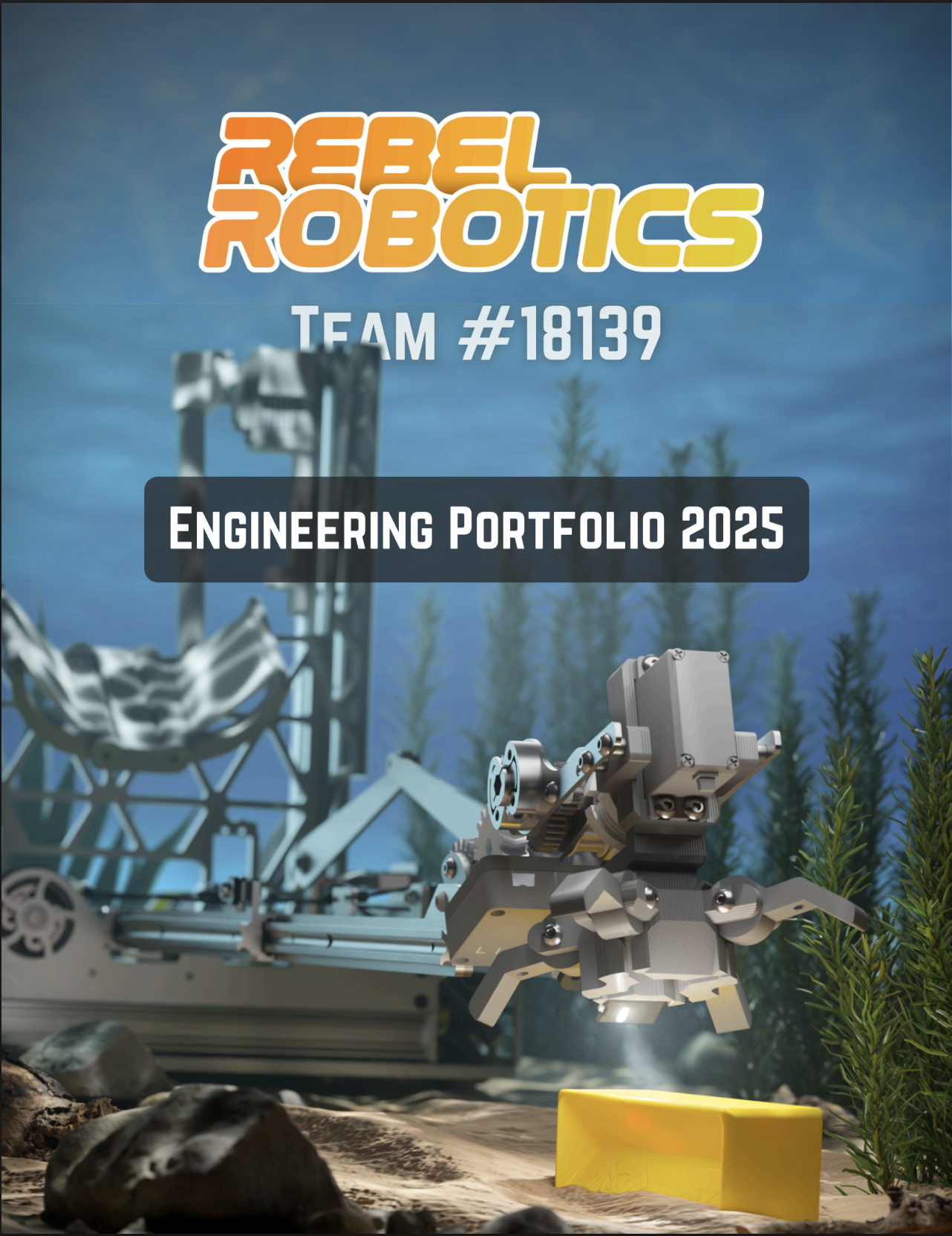
- Team Name and Number: Boldly display your official FTC team name and number. Use your team’s branded font or colors.
- Team Photo or Robot Image: Include a high-resolution photo of your entire team in uniform or a professionally taken image of your robot on the field or at a competition. Consider action shots to showcase energy and professionalism.
- Season Name and Logo: Feature the official game name and logo prominently. You may include a brief tagline or slogan that represents your team’s theme for the season.
- Branding Elements: Incorporate consistent colors, graphics, and design motifs that reflect your school’s identity and team culture. This sets a professional tone from the outset.
- Additional Suggestions: Add the date or season year and a brief welcome message or motto that captures your team spirit.
Page 1: Team Introduction
- Team History: Provide a narrative starting from your team’s inception — why the team was founded, major milestones, and past achievements (awards, competitions, outreach).
- Mission and Values: Share your team’s core purpose and principles, such as commitment to STEM education, teamwork, community involvement, or innovation. Explain how these shape your decisions and culture.
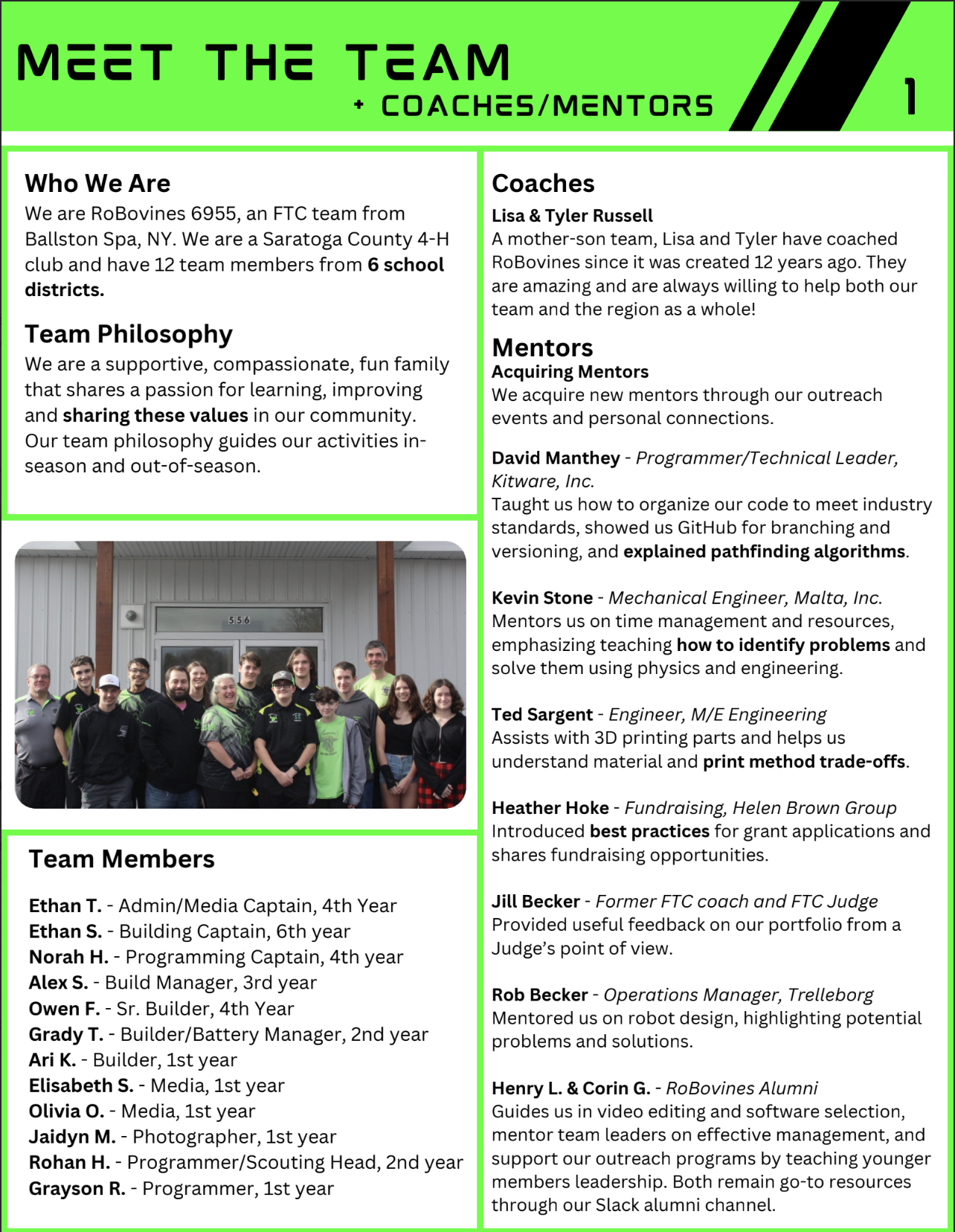
- Member Introductions: Include a roster with photos, names, roles (e.g., programmer, builder, outreach lead), and brief bios or fun facts to personalize your team. Highlight diversity and individual strengths.
- Season Goals: Clearly state measurable goals — technical goals (e.g., build a reliable lift), awards you aim for (Inspire, Design), outreach targets, or skill-building objectives for members.
- Pro Tips: Use engaging storytelling to draw readers in. Include quotes from members about what robotics means to them or key motivations.
Page 2: Team Organization
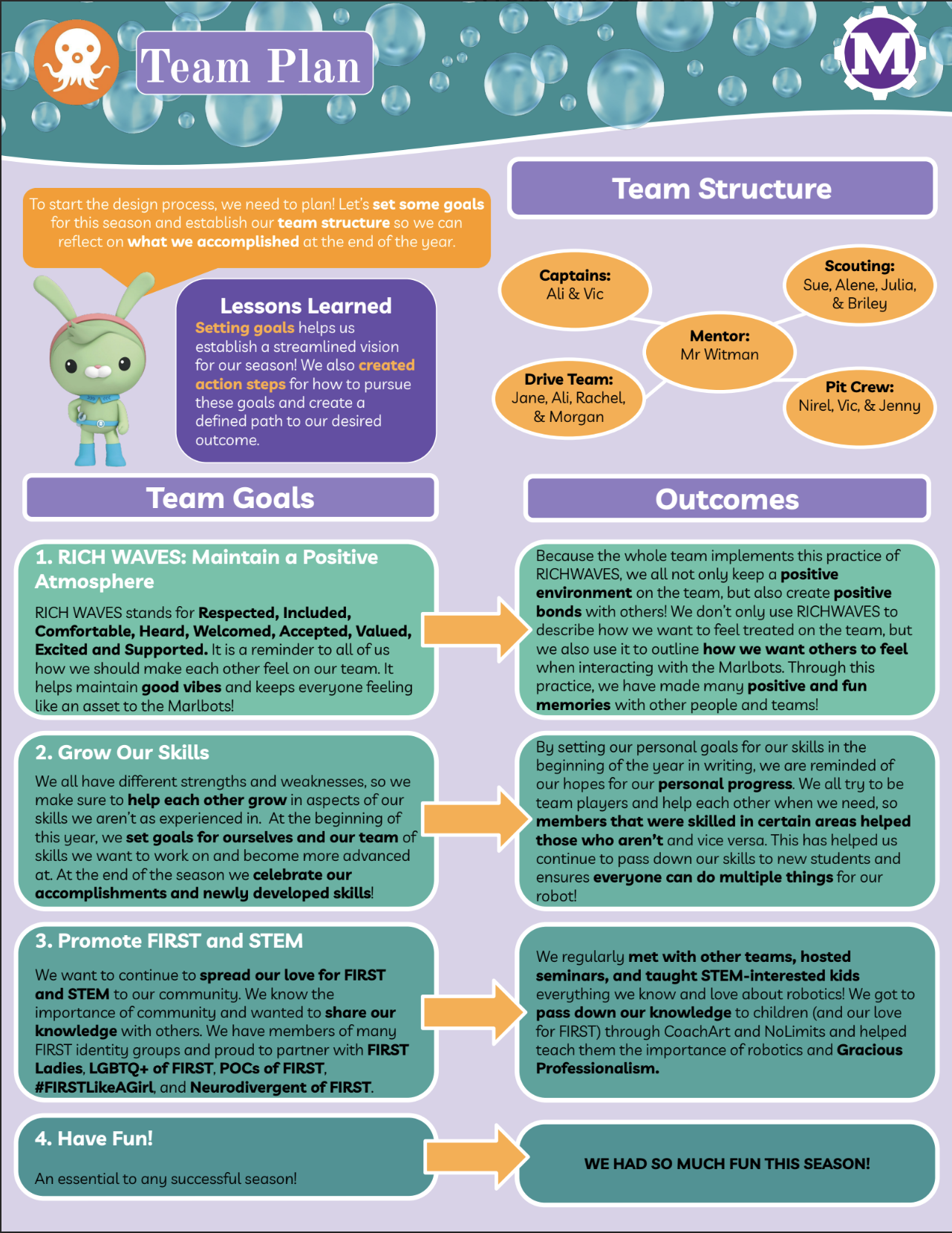
- Sub-Teams and Leadership Structure: Diagram or list your team’s subdivisions (e.g., Mechanical, Programming, Outreach, Business), including team leads and their responsibilities.
- Team Goals: What does your team want to achive this season?
- Insight: Emphasize how your structure promotes efficiency, accountability, and inclusion.
Page 3: Sustainability Plan
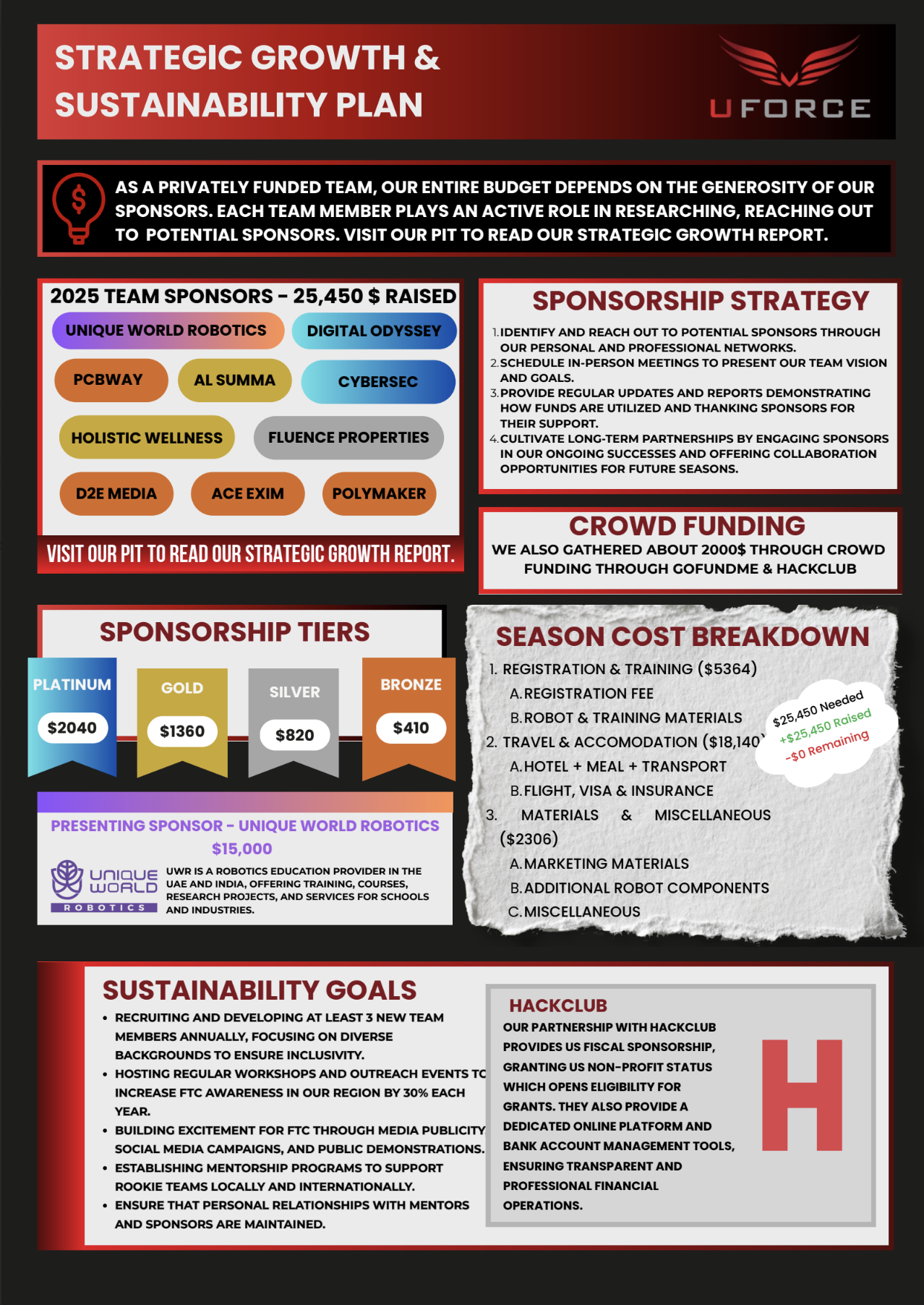
- Recruitment and Training: Outline your strategy for attracting new members, including outreach at schools or events, summer workshops, and onboarding procedures. Describe training programs, mentorships, and knowledge transfer systems.
- Sponsor Retention and Growth: List current sponsors and describe how you maintain relationships (e.g., regular updates, sponsor appreciation events). Include methods for attracting new sponsors, including proposal templates or sponsorship packages.
- Community and School Partnerships: Explain collaborations with local organizations or educational institutions to foster STEM awareness and support sustainability.
- Alumni Involvement: Highlight how former members contribute through mentorship, volunteering, or fundraising, ensuring long-term team success.
- Evidence: Provide examples like sponsorship letters, and partnership agreements.
Page 4: Robot Overview & Engineering Process
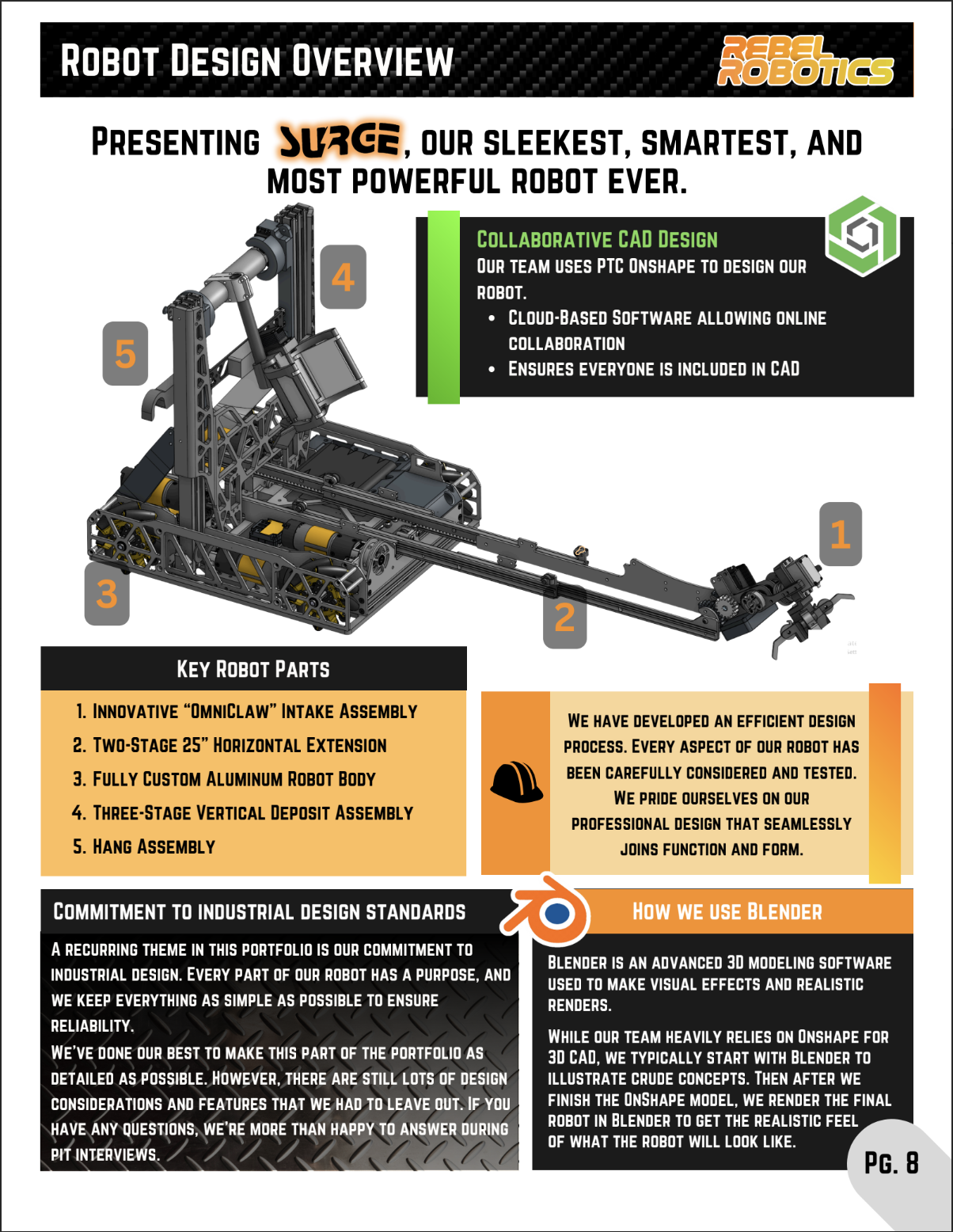
- Complete Robot Image with Subsystems Labeled: Provide a detailed photograph or CAD rendering clearly labeling drivetrain, intake, lift, electronics, sensors, and other subsystems.
- Purpose of Each System: For each subsystem, explain its role, design goals, and how it contributes to the robot’s overall function and strategy.
- Engineering Design Process: Thoroughly describe each stage your team undertook: brainstorming (idea generation techniques), prototyping (materials and fabrication), testing (performance evaluation, data collection), and refining (problem-solving and improvements). Include timelines and examples.
- Visuals and Artifacts: Add photos of prototype stages, sketches, design reviews, and test reports.
Page 5-7: Mechanisms Breakdown
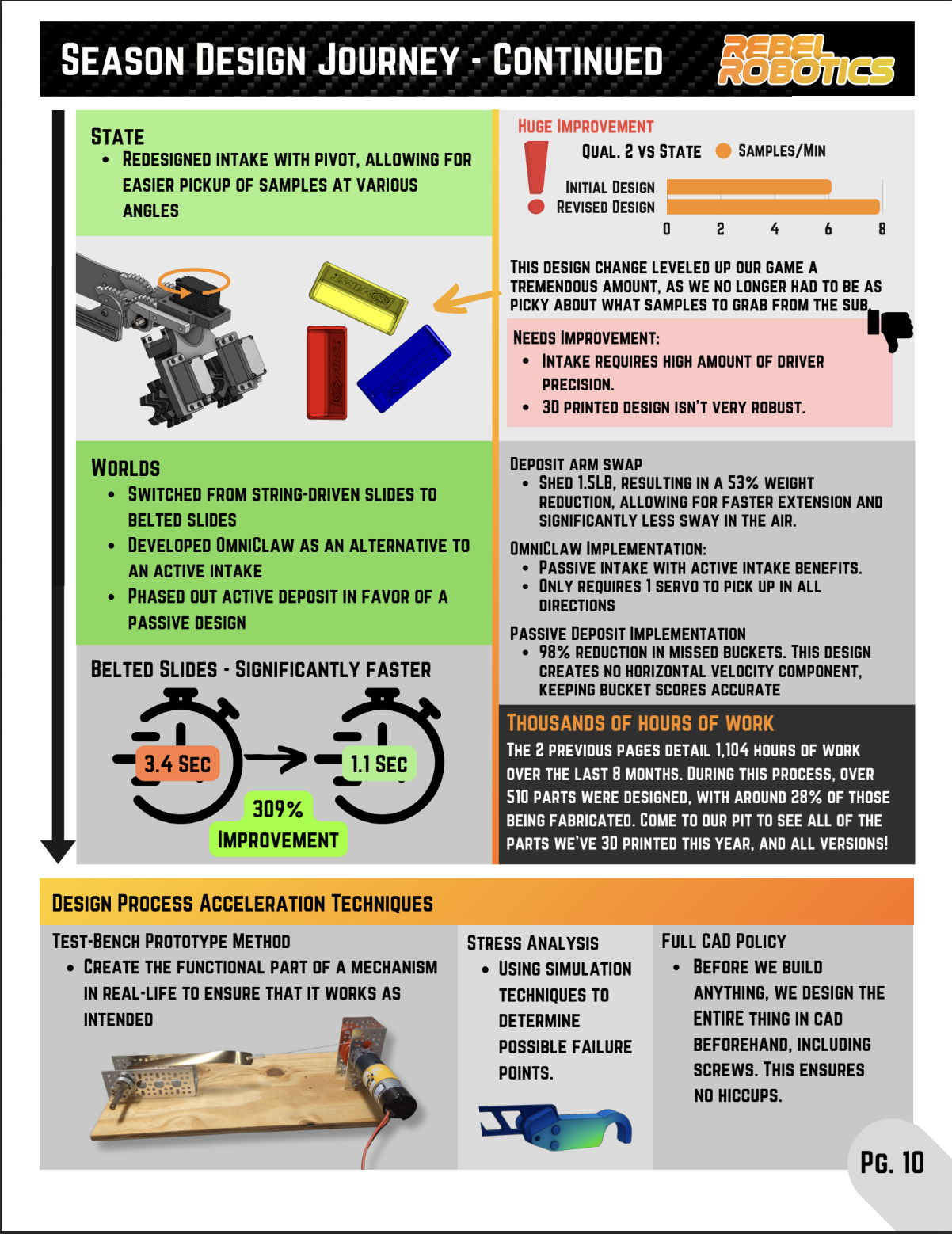
- CAD Diagrams and Design Iterations: Show your design progression through CAD files, highlighting changes driven by testing or new insights.
- Testing Methodology and Results: Describe how you tested the each part.
- Adjustments Made and Lessons Learned: Document modifications after testing and how you solved them.
- Supporting Data: Include graphs or test logs
Page 8: Math in Design
- Gear Ratio Calculations: Present the calculations used to select gear sizes and ratios, including formulas and how they affect torque and speed.
- Motor Specifications and Torque Requirements: List motor models, stall torque, free speed, and how these meet mechanical requirements.
- Kinematic and Dynamic Equations: Show the mathematical models used for robot movement, arm trajectory planning, or drivetrain control.
- Wheel Diameter and Speed Calculations: Explain how wheel size was chosen based on desired top speed and acceleration.
- Include worked examples, tables, and diagrams to clearly communicate these concepts.
Page 9: Game Strategy
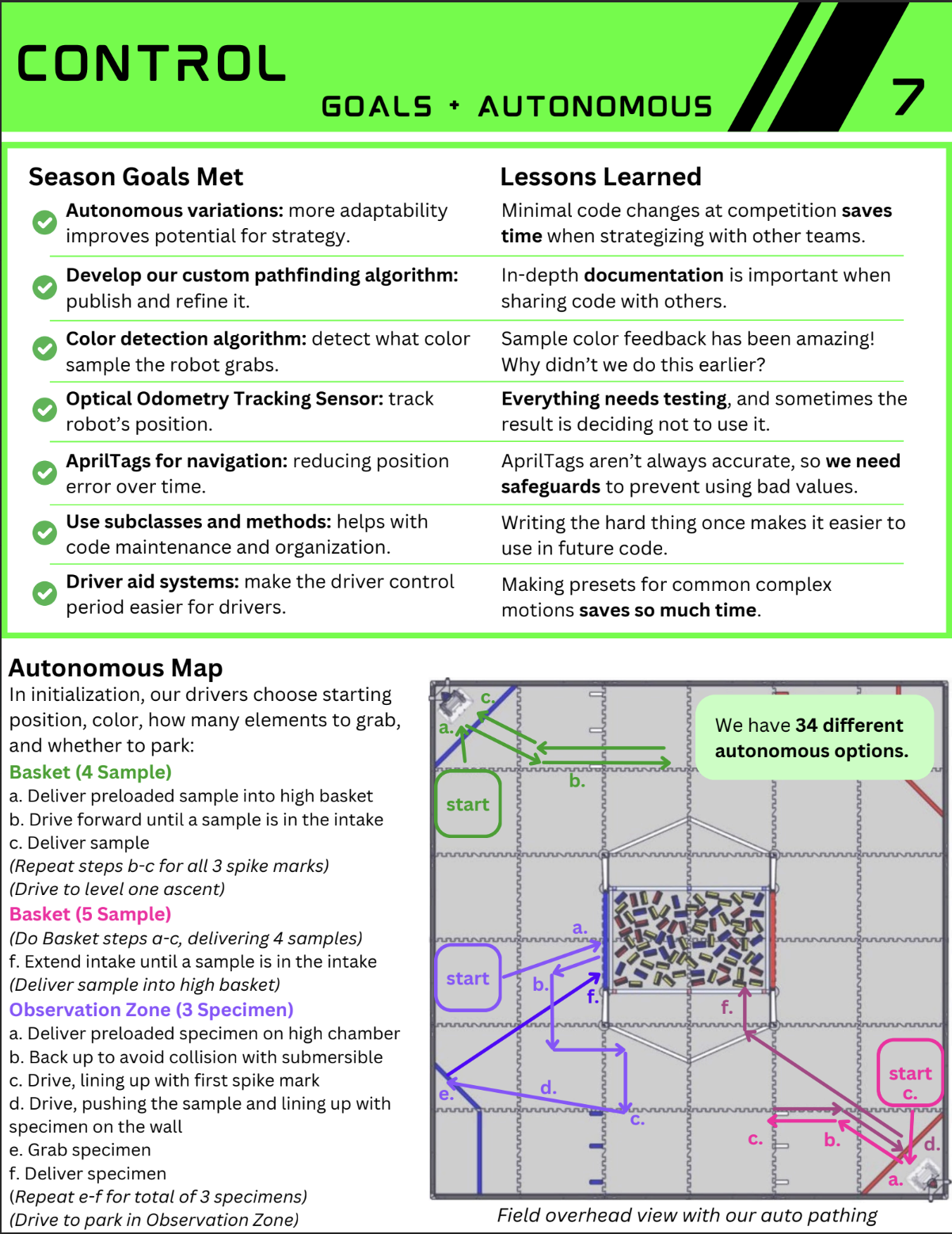
- Autonomous Period Goals: Detail specific tasks the robot performs autonomously, how points are scored, and sensors or routines used.
- Driver Control Objectives: Explain priorities during teleoperated period, such as scoring efficiency, defense, or alliance coordination.
- Endgame Tactics: Describe how your robot maximizes scoring or strategic advantages in the final moments of a match.
- Simulation and Planning Tools: Provide diagrams, flowcharts, or strategy maps illustrating your plans and contingencies.
- Discuss how strategy influenced robot design and programming decisions.
Page 10: Drive Team, Practice & Robot Control
- Drive Team Roles and Responsibilities: Introduce driver, operator, and coach, explaining each role’s tasks during matches.
- Role Assignment Process: Describe tryouts, training, and selection criteria used to assign team members to roles.
- Practice Schedule and Training Methods: Share your typical practice routines, drills, scrimmages, and use of practice matches.
- Performance Metrics: Provide data such as scoring improvements over time, accuracy percentages, or driver reaction times.
- Include photos or video links of drive team in action.
- Gamepad Mapping: Provide annotated images or diagrams mapping controller buttons and sticks to robot functions, making it easy to understand operation.
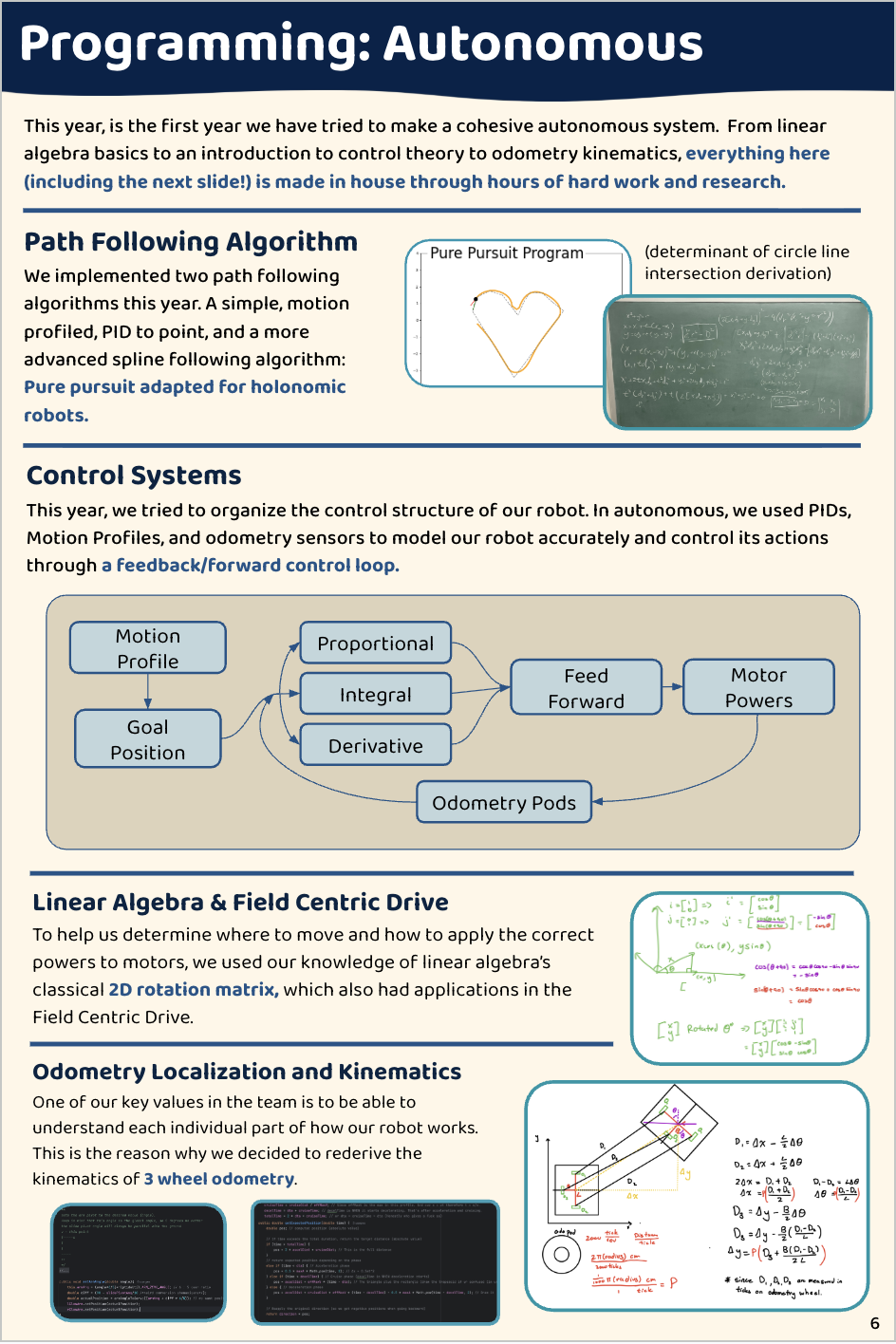
Page 11: Programming Overview
- Programming Languages: List all languages used (Java, Blocks, Kotlin), and explain your choice(s) based on team skill and project needs.
- Use of Tools and Libraries: Describe libraries like RoadRunner for motion planning or EasyOpenCV for vision processing, and how they enhance robot capability.
- Sensor Integration: Explain how sensors such as IMUs, distance sensors, and color sensors are read and used in code logic.
- Code Architecture and Flow: Include flowcharts, state diagrams, or pseudocode to clearly explain control logic, including autonomous and teleop modes.
- Share examples of challenging programming problems solved and how the team debugged and improved code.
- Vision Systems Integration: Explain use of vision tools such as Limelight or AprilTags, how they’re configured, and their role in autonomous or teleop phases.
Pages 12–14: Outreach, Advocacy, & Mentorship
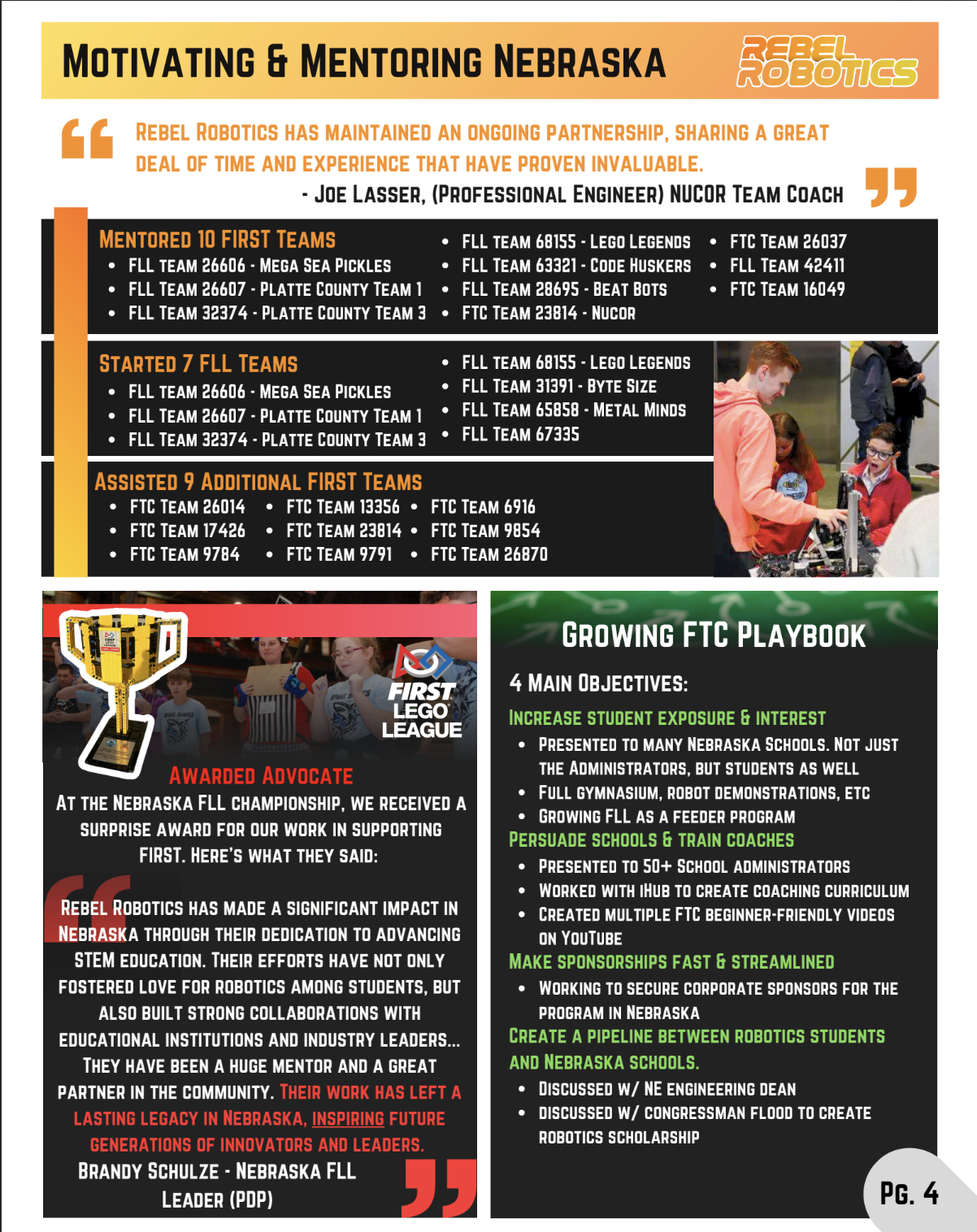
- Reach and Impact: Provide numbers on how many people, schools, or events your team has engaged with during outreach activities.
- Event Descriptions: Give detailed accounts of each outreach or mentorship event, including objectives, activities, and outcomes.
- Visuals: Include photos, posters, flyers, social media screenshots, or videos highlighting your outreach efforts.
- Community Impact: Share testimonials, feedback, or measurable changes resulting from your efforts, emphasizing alignment with FIRST’s mission.
- Future Plans: Outline how your outreach program will continue or expand to benefit more students and communities.
Page 15: Final Thank You
- Lessons Learned: Reflect deeply on technical, teamwork, and personal growth lessons from the season.
- Team Development and Future Plans: Discuss improvements made, areas for growth, and specific goals or plans for the next season.
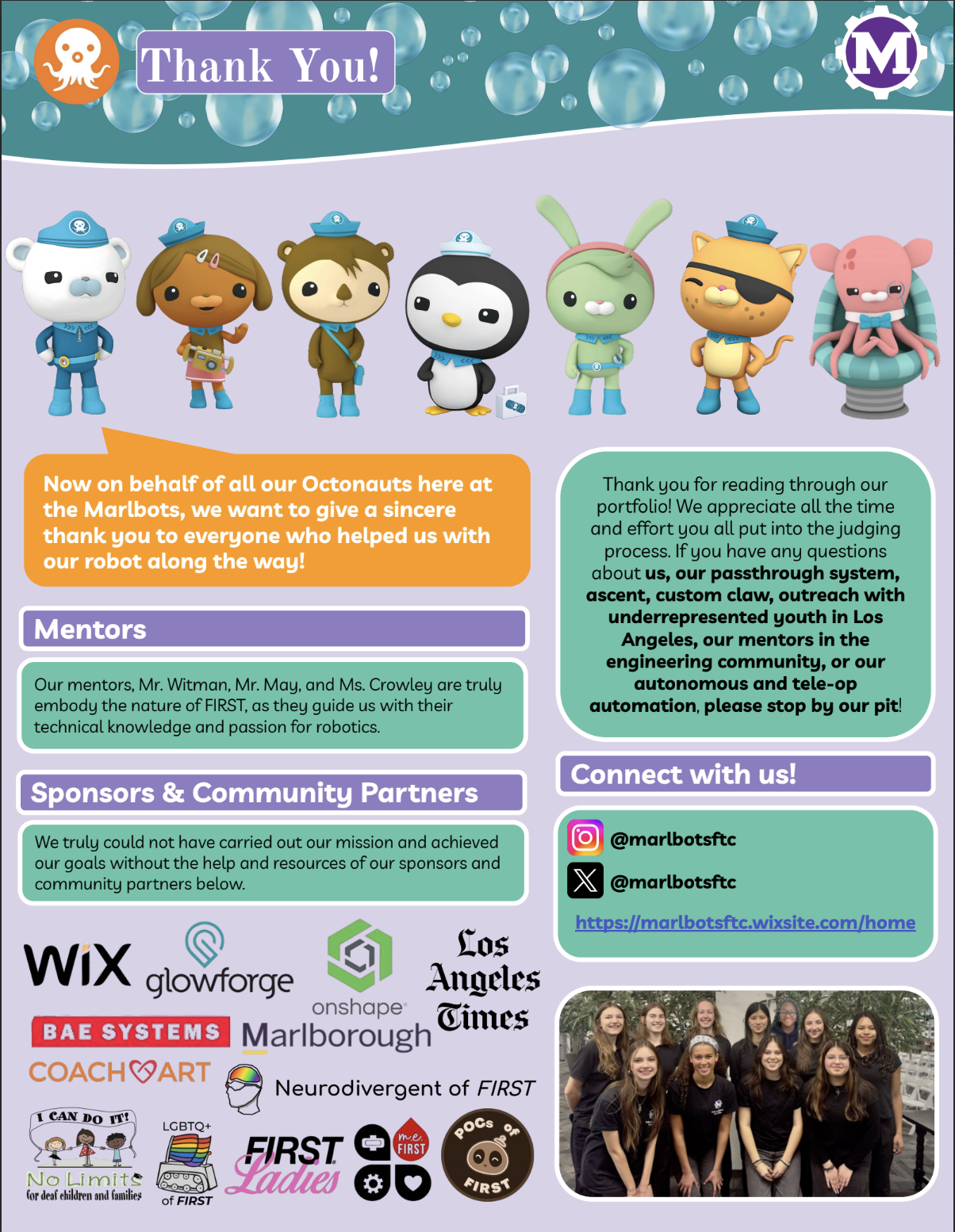
- Acknowledgments: Sincerely thank mentors, sponsors, parents, teachers, and partners who supported your journey with specific mentions.
- Personal Quotes or Anecdotes: Include memorable team moments, funny stories, or inspirational quotes from team members that capture your team’s spirit.
- Make this page heartfelt to leave a positive, lasting impression on judges and readers.